NerveStax · On-call
Every alert, investigated first.
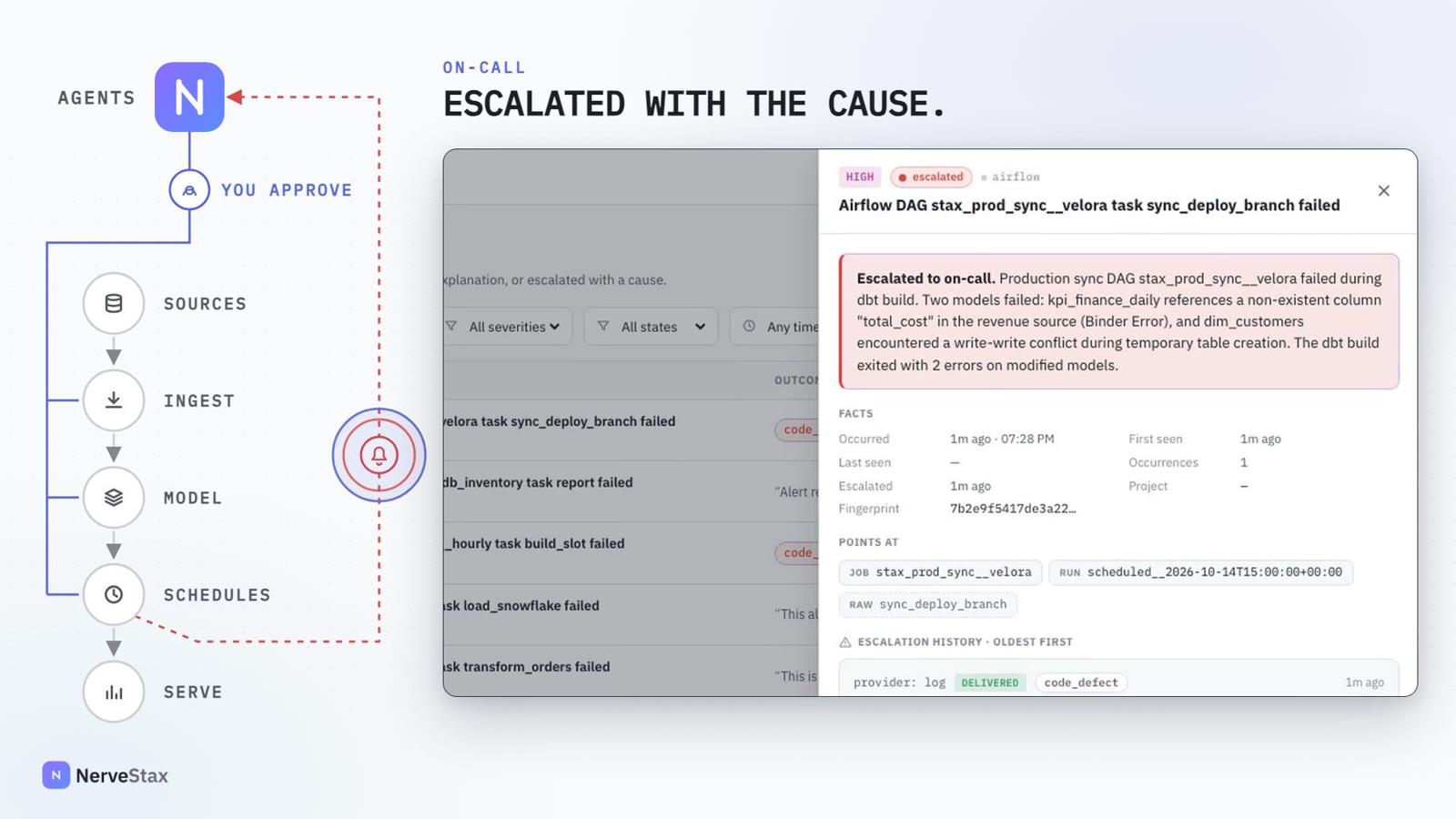
Alerts from Airflow, dbt or any webhook go to an on-call agent. It closes the noise with a reason and escalates the real incidents with the cause already found.
 1:33
How it works
On-call, step by step.
Alert
It arrives from Airflow, dbt or any webhook, through a token-protected endpoint.
Triage
The on-call agent opens a conversation and investigates on its own.
Verdict
Exactly one: resolved, or escalated.
Escalate
With the cause, to the channel you chose.
Fix
A person asks for the fix. It comes back built and tested, as a pull request.
Green
One review later, the run passes again.
Verdicts
Each alert ends one of two ways.
Resolved, with an explanation anyone can read. Or escalated, with the cause. Any crash, timeout or unclear result counts as an escalation, so nothing is closed silently.
Safety
Triage is read-only.
The on-call agent reads the failed run and its logs, what changed upstream and the lineage. It has no tools that change anything, and the alert’s own content is treated as untrusted.
- People cannot write into the conversation while triage runs.
- A fix is a separate step that a person starts, and it arrives as a pull request.
Alert storms
One incident, one alert.
Repeats of the same failure are grouped by fingerprint, linked to the assets they affect and rate-capped during a storm, so the inbox shows incidents, not noise.
In detail
What is in it.
Alert sources
Airflow failures, dbt failures and a generic webhook format.
Escalation
Every escalation is logged. It can also go to a signed webhook, with retries, a record of every delivery and a send-test button.
Alerts inbox
Severity, state, outcome and the conversation behind each verdict.
Linked to what broke
Each alert points at the run, the job and the asset it concerns.
Alerts the platform raises
Failed scheduled runs, backfills that end badly and tokens close to expiry.
Usage in view
Tokens spent on triage appear in the usage dashboard.
Who decides
A person decides. The agent prepares.
The agent has only the permissions of the person it works for, and the approver is recorded.
These wait for a person
- Whether to act on an escalation
- Asking for the fix
- Merging the fix
- Where escalations are sent
Transcript of the film
A production deploy fails at night, and nobody is looking.
Alerts reach NerveStax from Airflow, dbt or any webhook, and the on-call agent takes each one.
Noise is closed with a reason anyone can read in the morning.
The real incident is escalated with the cause already found: a column renamed upstream, still read downstream.
It works read-only: the failed run and its logs, what changed upstream, the lineage. If it is ever unsure, it escalates anyway.
Then a person asks for the fix. It comes back built, tested, and as a pull request to approve.
One review later, the run is green again.
Every alert, investigated first. NerveStax.
More of the platform
The other features, each with a film.
See it on your own repository.
Tell us what you run and what is waiting. We will set up a working session on your stack and reply within a working day.