NerveStax · Ingestion
New sources, by asking.
Describe the source you need. The agent explores it, proposes a load plan from evidence, and installs it as one pull request that runs on your own Airflow.
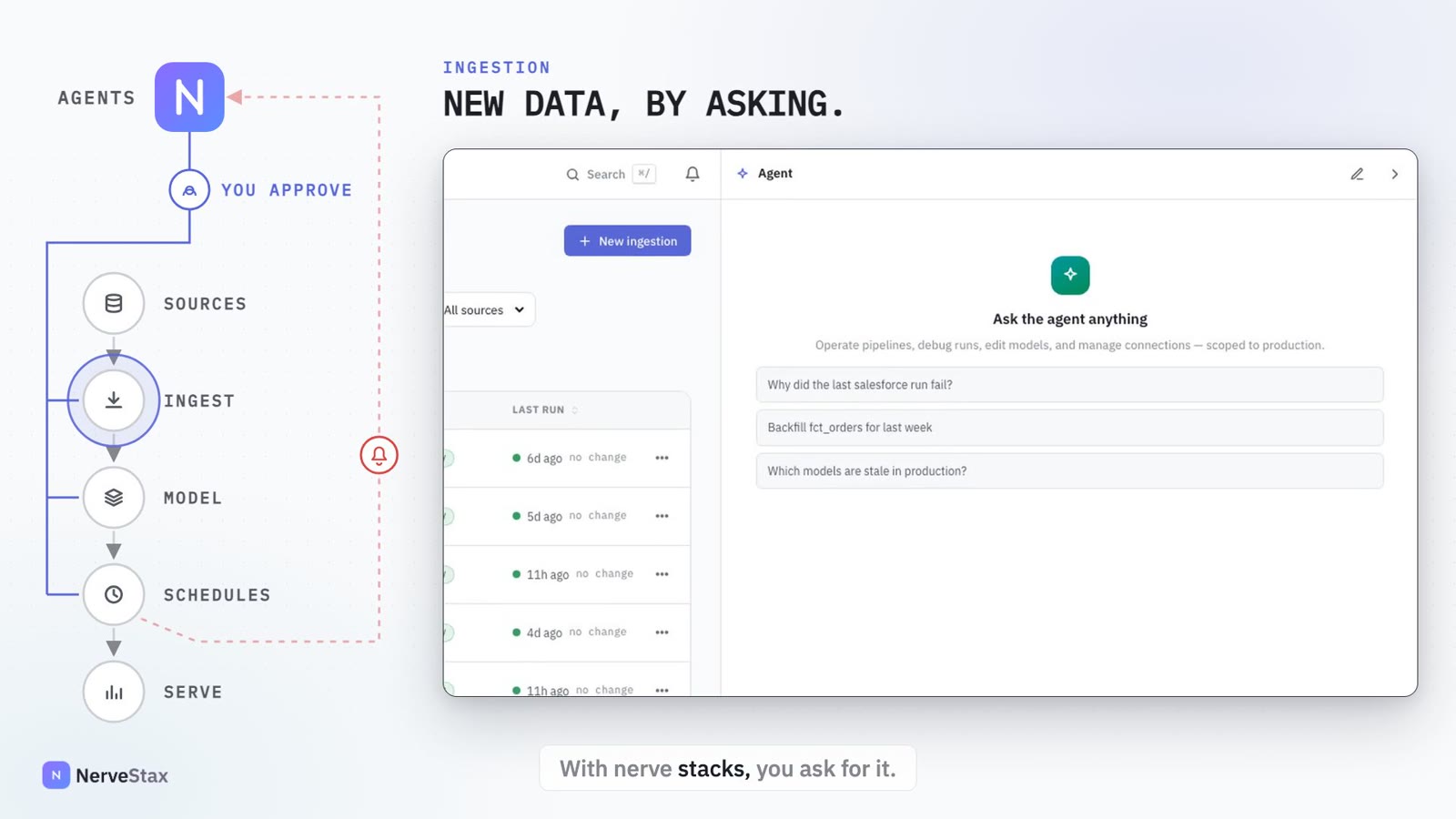 1:44
How it works
Ingestion, step by step.
Ask
Say which source and which tables you need, in a conversation.
Connect
Credentials go into a secure form, never into the chat.
Explore
The agent scouts the source and profiles only what you asked for.
Review
One load plan: mode, key and cursor for each table, chosen from evidence.
Install
Approve it, and it arrives as one pull request in your Airflow repository.
Run
Merge it, and it runs on your Airflow, on the schedule you named.
The load plan
Rules choose how each table loads.
For every table, rules in the platform pick the load mode from what the source proves: merge when a unique key and an update timestamp are both proven, append for a created-at column, full refresh otherwise. The AI model cites the evidence; it does not decide.
- You can change the mode, key or cursor, drop tables or columns, and rename the destination table.
- Any change produces a new plan, which is reviewed again before it can be approved.
- Only statistics are collected. Row contents are never read, and columns that look like personal data are not sampled.
Credentials
Passwords and keys never enter the chat.
Secrets are typed into a form that saves them straight to an encrypted store. The AI model, the transcript and the logs never see them; the agent works with a connection id. A password pasted into the chat by mistake is stripped out before the model or the transcript sees it.
When the source changes
Schema changes are caught at the door.
New columns are added automatically. A change to a column’s type, nullability or key stops that table before anything is written, and the next run does not skip past the data. A new column that looks sensitive, a dropped column or a likely rename waits for review.
- Other tables keep loading when one stops.
- The agent proposes exactly one fix and never re-syncs on its own.
- A table the warehouse rejected stays blocked until it is re-synced.
In detail
What is in it.
Sources
MySQL, PostgreSQL and SAP over OData: S/4HANA, Business One, Business ByDesign and SuccessFactors.
Runs on your Airflow
Each table loads as its own task, with parallelism you set and an optional cap per source server.
Scheduling
Manual, or on a named workspace schedule. It also refreshes when a scheduled build reads its tables, so models never build on stale inputs.
Versions and drift
Every approved plan is an immutable, numbered version. A run that matches no approved version is marked drifted.
Large loads
Loads run in size-bounded slices that reserve disk space first, so a big table cannot fill the Airflow machine.
Late-arriving data
Each table can re-read a recent window, and can be restarted from a chosen point without being dropped.
Lineage
Landed tables appear in Data Assets with rows per run, linked to the dbt source that reads them.
One page for every ingestion
State, source, tables, run history, versions and any pending pull request.
Good to know. Ingestion loads into MotherDuck today. Merge and append loads do not carry over rows deleted in the source; a full re-sync reconciles them, and the review card says so.
Who decides
A person decides. The agent prepares.
The agent has only the permissions of the person it works for, and the approver is recorded.
These wait for a person
- Approving the load plan
- Merging the install pull request
- Running, stopping or re-syncing an ingestion
- Restarting a table from a chosen point
Transcript of the film
Getting a new source into the warehouse usually means a ticket, a connector to configure, and a pipeline to babysit.
With NerveStax, you ask for it.
Credentials go into a secure form. They never appear in the chat; the agent only ever sees an id.
It scouts the source, even an SAP system with nearly a thousand entities, and profiles just what you asked for.
You review one load plan: merge mode, key and cursor, chosen from evidence in the source, not guesses.
Approve it, and the install arrives as one pull request in your Airflow repository.
Merge it, and it runs in Airflow on the schedule you named. Every ingestion lives on one page, with its runs and versions.
When the source changes shape, you hear it at ingestion, not from an analyst.
A new source, by asking. NerveStax.
More of the platform
The other features, each with a film.
See it on your own repository.
Tell us what you run and what is waiting. We will set up a working session on your stack and reply within a working day.